
OKLab RGB Cube Bijection
2026
TL;DR
This started because I wanted a rainbow gradient that looked even, and the ones you get out of HSV or HSL don’t. That sent me into OkLAB, a color space built around how human eyes actually see, and the rabbit hole turned into two separate projects.
The first lays out all 16 million RGB colors into a single 4K image where each color appears exactly once and the whole thing reads as one smooth gradient. The second builds perceptually even color palettes of any size, and taught me something I didn’t know about the limits of color itself.
I posted this and had a good back-and-forth about how it works, over on Reddit.
Why OkLAB
A normal rainbow looks off because our eyes don’t perceive color evenly. We’re far more sensitive to differences in some regions, greens especially, than others. So a gradient that’s mathematically even in HSV looks lumpy. Some colors hog space and others flash past. OkLAB and its cousin OkLCH correct for that bias, so even spacing in OkLAB looks even to a person. Both projects measure color distance in OkLAB for that reason.
Every color, exactly once
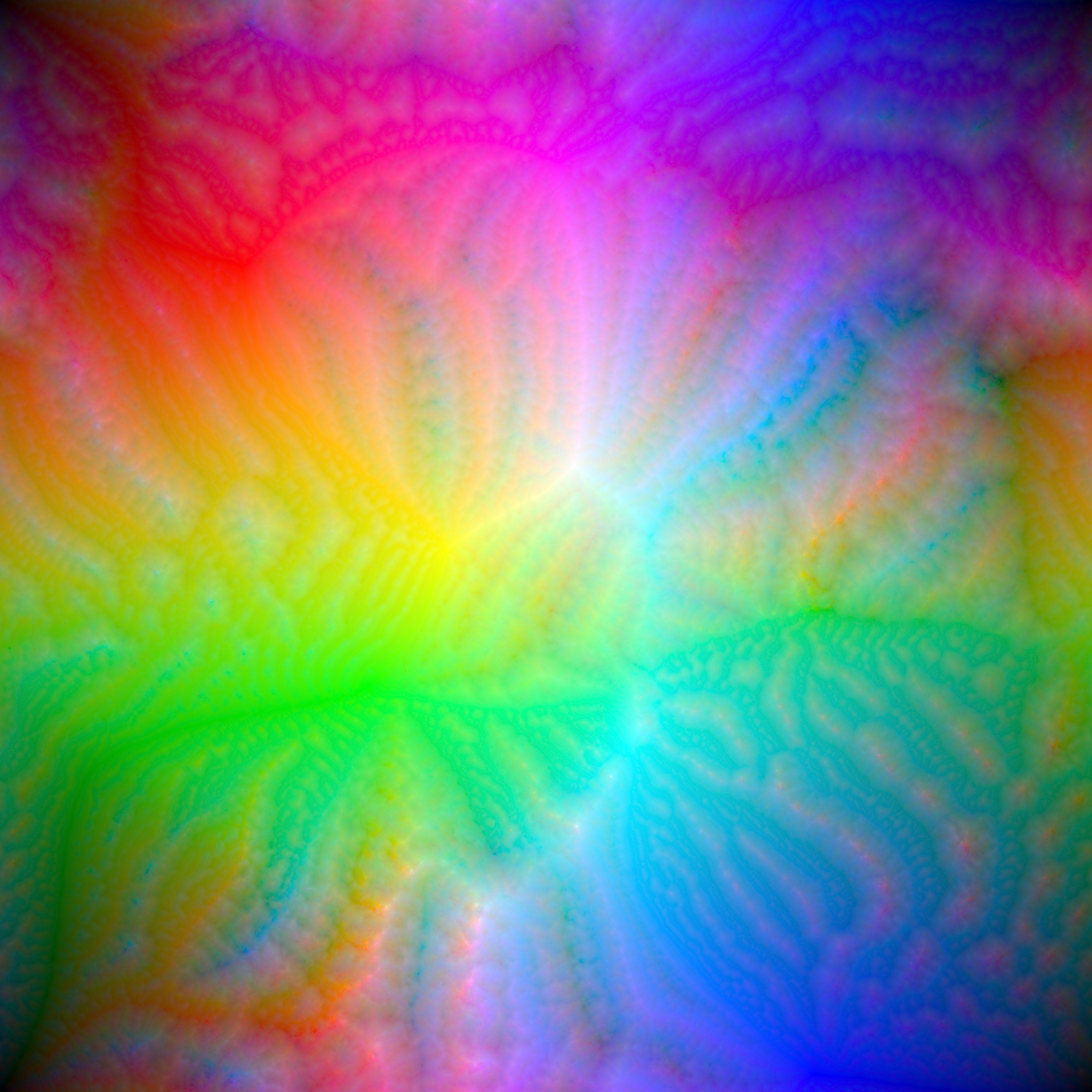
The goal was to put all 16 million RGB colors into a 4096x4096 image, each one used exactly once, arranged so the image flows as a smooth gradient. Plenty of people have tried this and come up short even without the “exactly once” rule. I’ll skip my own dead ends and explain the version that worked.
The trick is that the numbers line up. The RGB cube holds 256x256x256 colors. Slice it into 4 along each axis and you get 64 smaller cubes, and 64 is exactly an 8x8 grid. So I lay those 64 cubes onto an 8x8 image and shuffle them around to make neighbors as perceptually close as possible, measuring against a blurred copy of the image in OkLAB. I start with a wide blur, which smooths things globally, and shrink it over time, which cleans up the local detail.
Then I zoom in. Each of those 64 cubes splits into 64 of its own, filling an 8x8 block inside whatever pixel its parent landed on, and the shuffling repeats. Four levels of that takes me from 8x8 to 64x64 to 512x512 to the full 4096x4096, and by the end every pixel is a single color. A cube’s children never leave the spot their parent claimed, so every one of the 16 million colors shows up exactly once. The image is a permutation of the RGB cube rather than a picture of it.
The clouds were an accident. Those swirling, fractal-looking patterns weren’t designed and I didn’t predict them. Squashing a 3D cube of color down onto a flat image forces compromises somewhere, and apparently this is what those compromises look like. I still don’t have a satisfying explanation for why they take that particular shape. The four dark corners are a smaller quirk with a boring cause. I do the math with wrapping, then slide the whole image so pure black sits in the top-left.
A palette that runs into a wall
Then I wanted the opposite of all-the-colors. A small set of N colors that are as perceptually distinct from each other as possible, which is useful for color quantization, data visualization, and pixel art.
The method I landed on is almost too simple, and I haven’t seen anyone else try it. Drop all 16 million colors into OkLAB. Then repeatedly find the color sitting closest to its two nearest neighbors and remove it, writing down the order it left in. Keep going until nothing’s left. That removal order is your answer, since the colors that survive longest are the most distinct.
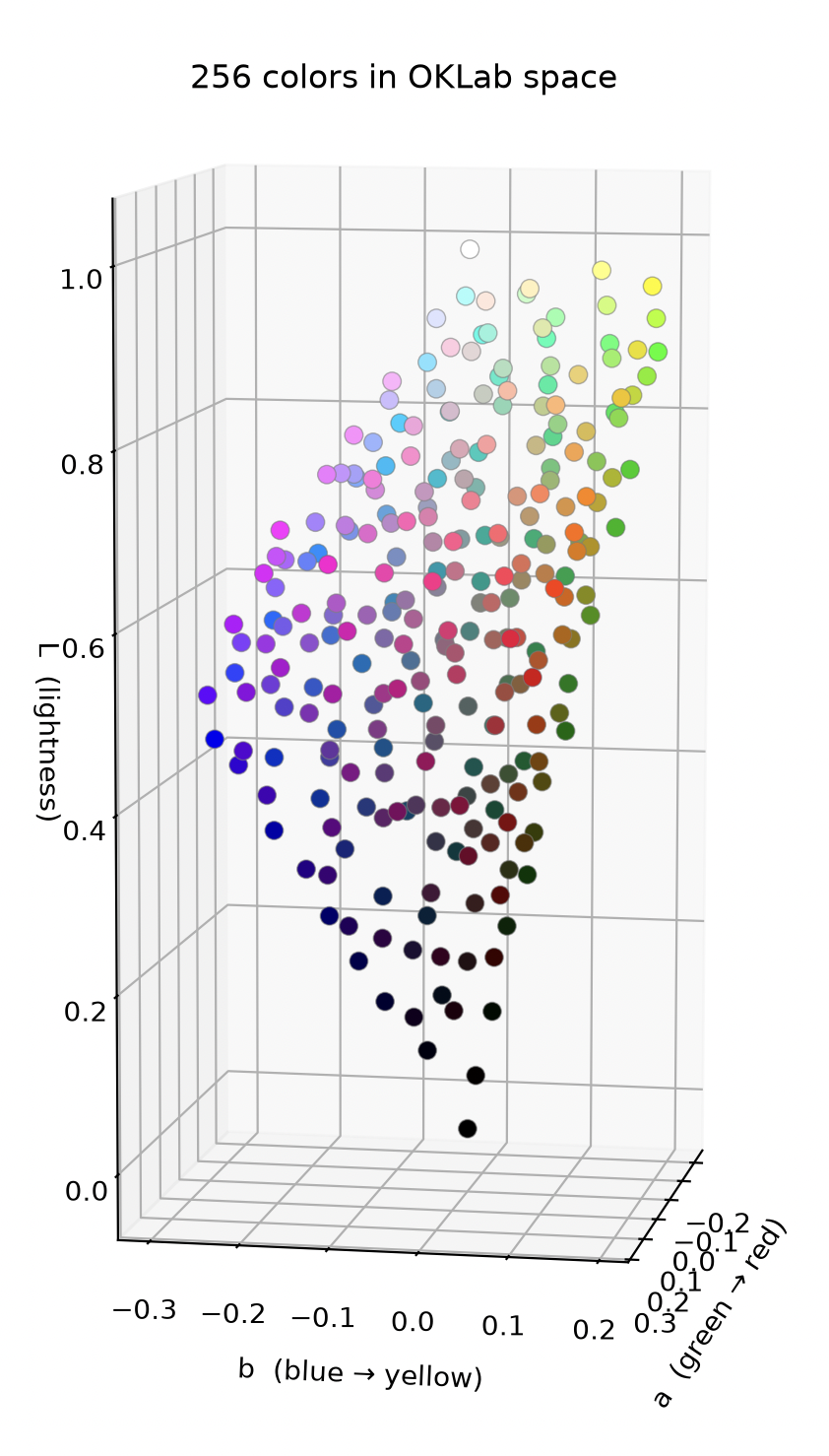
Reading the result told me something I didn’t expect. The greens and cyans get thinned out first, then magenta, because linear RGB is packed with colors in those regions that look nearly identical to us. And if you push the palette big enough, somewhere around a million colors, you hit a wall. You physically can’t make it perceptually even, because linear RGB doesn’t hold enough colors that are evenly spaced to the human eye. The algorithm stopped being a palette generator at that point and became a way of measuring the color space itself, which was not what I built it for.
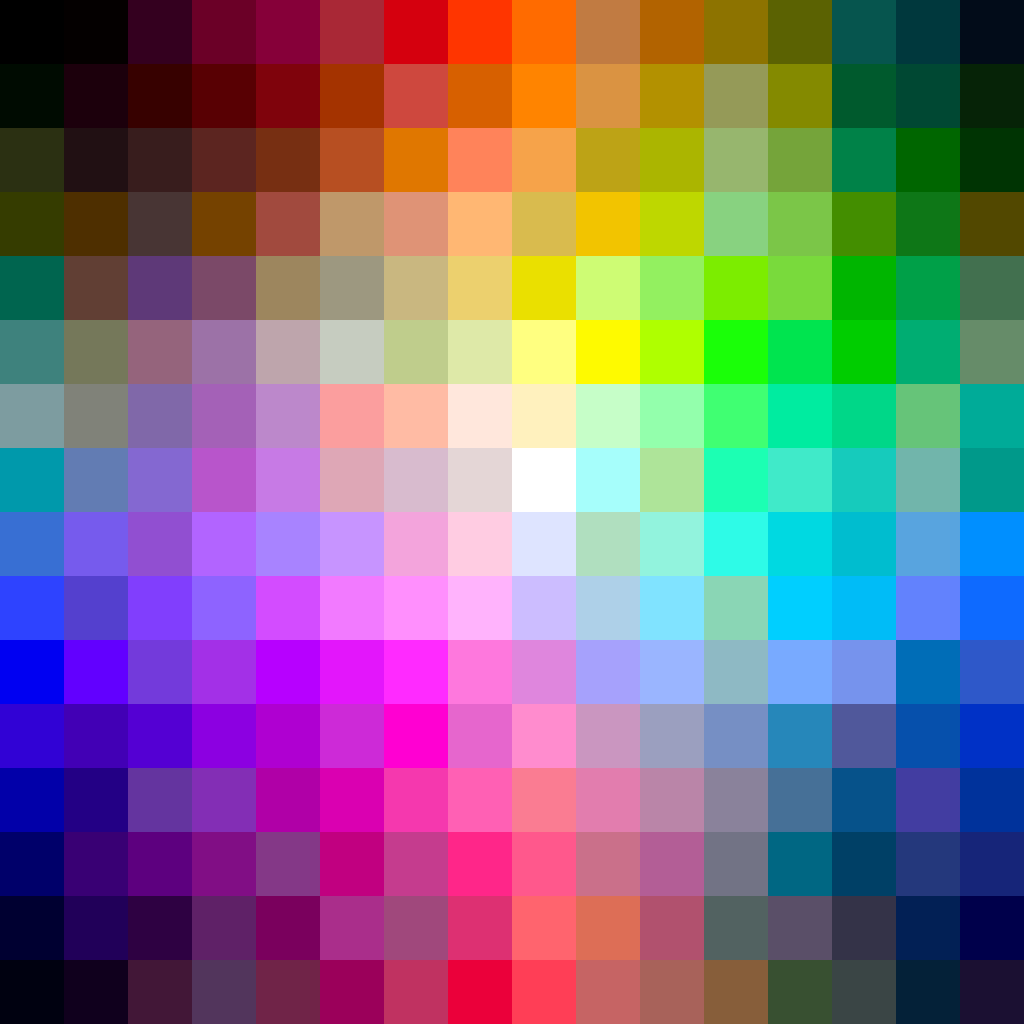
Here’s a uniform 256-color palette it produced, laid out with the same method as the first project:
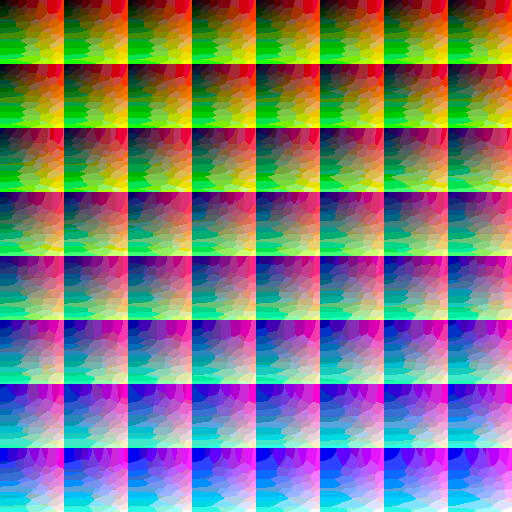
And the lookup table for it, plus a graph of how the colors come out distributed:
Where both of them ended up
Both halves started as “wouldn’t it be nice to organize color perfectly,” and both ran into the fact that color space has its own shape and its own limits. The all-colors image only works if you accept the clouds. The palette generator works right up until the space runs out of room.
I came in wanting a prettier gradient and left with a much better feel for why the perfect version isn’t available.